Shopify vs Shopakt vs WooCommerce: Best 2026 Comparison
Compare Shopify vs Shopakt vs WooCommerce in 2026. Discover the pros, cons, and best e-commerce platform for your online store. Find your ideal solution!

E-commerce Platforms Compared: Shopify vs Shopakt vs WooCommerce in 2026
Choosing the best e-commerce platform is a crucial step for any business aiming to succeed online. This article compares Shopify vs Shopakt vs WooCommerce, focusing on the features, pricing, and flexibility that matter most in 2026. Whether you’re a brand, agency, or company seeking a modern, scalable solution, you’ll find clear insights to guide your decision.
In this article:
- Key takeaways
- Choosing the Right E-commerce Platform: Shopify vs Shopakt vs WooCommerce
- Comparative Overview: Key Features, Pricing, and Flexibility
- Pros and Cons of Shopify, Shopakt, and WooCommerce
- Which Platform Is Best for Your Business in 2026?
- Frequently Asked Questions
- Conclusion
With experience in building tailored e-commerce solutions—including Shopakt, a proprietary platform with advanced AI content tools—Devizzo supports companies of all sizes with design, development, hosting, and ongoing digital support. Read on to discover which platform aligns with your needs, and how integrating the right solution can streamline your business, enhance customer experience, and provide reliable technical backing.
Key takeaways
- Shopify, Shopakt, and WooCommerce each offer unique strengths for different business needs in 2026.
- Shopakt stands out for customizable, managed solutions and seamless integration, especially for businesses needing ongoing support.
- Choosing the right e-commerce platform depends on your goals, technical requirements, and desired level of service.
Choosing the Right E-commerce Platform: Shopify vs Shopakt vs WooCommerce

As 2026 brings a more competitive and integrated digital marketplace, choosing the right e-commerce platform has never been more critical for businesses aiming to scale, streamline operations, and ensure robust customer experiences. The modern e-commerce landscape demands not just a visually appealing storefront, but also seamless integration, flexibility, and reliable support—especially for brands and teams with evolving needs.
Among the leading solutions, three platforms stand out: Shopify, WooCommerce, and Shopakt, Devizzo’s proprietary platform designed for businesses seeking fully tailored and managed webshops. Each platform approaches e-commerce with distinct philosophies and technical foundations, impacting everything from daily management to long-term growth potential.
| Platform | Type | Hosting | Customization | Support | Best For |
|---|---|---|---|---|---|
| Shopify | Hosted SaaS | Included | Moderate (via apps & themes) | 24/7 by Shopify | Rapid deployment, ease of use |
| Shopakt | Proprietary (Devizzo) | Included & managed by Devizzo | High (custom modules, integration with existing systems) | Direct, ongoing with Devizzo | Custom solutions, ongoing support, integration needs |
| WooCommerce | Open-source plugin (WordPress) | Self-managed or third-party | Very high (requires technical skills) | Community, hosting provider, or agency | Full control, developer resources available |
For businesses of all sizes—from solo entrepreneurs to established brands—selecting an e-commerce platform is rarely about a single feature. Instead, it’s about choosing a system that adapts as the business grows, integrates with existing processes, and offers ongoing support. This is where proprietary solutions like Shopakt, developed and maintained by Devizzo, provide a strategic advantage: they offer tailored development, integration with your current systems, and a single point of accountability for design, hosting, SEO, and continuous maintenance.
Ultimately, the best online store platform will depend on your unique needs. If you require a turnkey solution with comprehensive support and the ability to customize every aspect—including integration with your internal processes—exploring a Shopakt review could be the next step in your e-commerce journey.
Comparative Overview: Key Features, Pricing, and Flexibility
When it comes to selecting the best online store platform, businesses compare Shopify, Shopakt, and WooCommerce for their features, pricing, scalability, customization, and support. Below is a comparative table highlighting key aspects relevant for companies seeking a flexible, reliable, and future-ready e-commerce solution in 2026.
| Platform | Key Features | Pricing Model | Scalability | Customization | Support |
|---|---|---|---|---|---|
| Shopify |
|
Subscription-based with transaction fees | High (enterprise options available) | Theme and app-based; limited backend access | 24/7 official support; third-party experts |
| Shopakt |
|
Custom quote; all-inclusive with ongoing maintenance | Flexible, tailored to business growth | Editing look from admin — the developer is not invited. | Dedicated support and continuous updates by Devizzo |
| WooCommerce |
|
Free core; paid extensions and hosting | Depends on hosting and technical resources | Highly customizable (developer access required) | Community support; professional help needed for advanced issues |
Shopakt stands out with its AI-driven content generation, which automates product descriptions and streamlines catalog management—a unique benefit for retailers who want to minimize manual work while keeping their store fresh and SEO-friendly. With Shopakt’s fully managed service, Devizzo not only launches the webshop but continues to handle hosting, security, content updates, and marketing, making it ideal for businesses that want to focus on sales and growth rather than technical maintenance. The platform’s ability to integrate directly with existing business systems through custom modules further enhances its flexibility, setting it apart from both Shopify and WooCommerce where such integrations often require third-party apps or specialized development.
In contrast, Shopify appeals to those who prefer an out-of-the-box solution with predictable monthly costs, strong support, and a vast plugin ecosystem, but it limits backend customization and can incur additional fees as the business grows. WooCommerce is favored by businesses seeking maximum control and customization, especially if they already use WordPress, though this comes at the cost of ongoing management, hosting, and a steeper learning curve.
For organizations looking for an all-in-one solution with ongoing professional support, Shopakt by Devizzo offers a strong alternative that combines technical excellence with operational peace of mind.
Pros and Cons of Shopify, Shopakt, and WooCommerce
When comparing Shopify, Shopakt, and WooCommerce, understanding the strengths and weaknesses of each platform helps businesses choose the best fit for their e-commerce strategy. Below is a summary of the main advantages and disadvantages, with a focus on usability, integration, costs, and support. This overview is especially relevant for companies that require not just a functional online store, but also end-to-end digital solutions and continuous support—key priorities for many clients working with digital agencies such as Devizzo.
| Platform | Pros | Cons | Best For |
|---|---|---|---|
| Shopify |
|
|
Startups and retailers needing quick launches without deep customization; teams focused on selling rather than development |
| Shopakt |
|
|
Businesses of all sizes needing customized e-commerce, integration with existing systems, and ongoing digital partnership (see Shopakt turnkey online store development) |
| WooCommerce |
|
|
Companies with in-house technical resources; those prioritizing flexibility and custom development over simplicity |
For example, a mid-sized brand seeking a scalable solution with ongoing support, automated content, and seamless integration with their finance and logistics systems might find Shopakt the most attractive, as it combines tailored development with continuous assistance. On the other hand, a small retailer wanting to get online rapidly with minimal IT involvement may lean toward Shopify, while a business with internal developers and strict requirements for customization could prefer WooCommerce.
It’s also essential for growing companies to consider the operational aspects after launch. Managing orders and finance: from the customer’s click to a closed book is often smoother when the e-commerce platform is supported by a digital partner offering end-to-end services, rather than piecing together multiple providers.
Which Platform Is Best for Your Business in 2026?
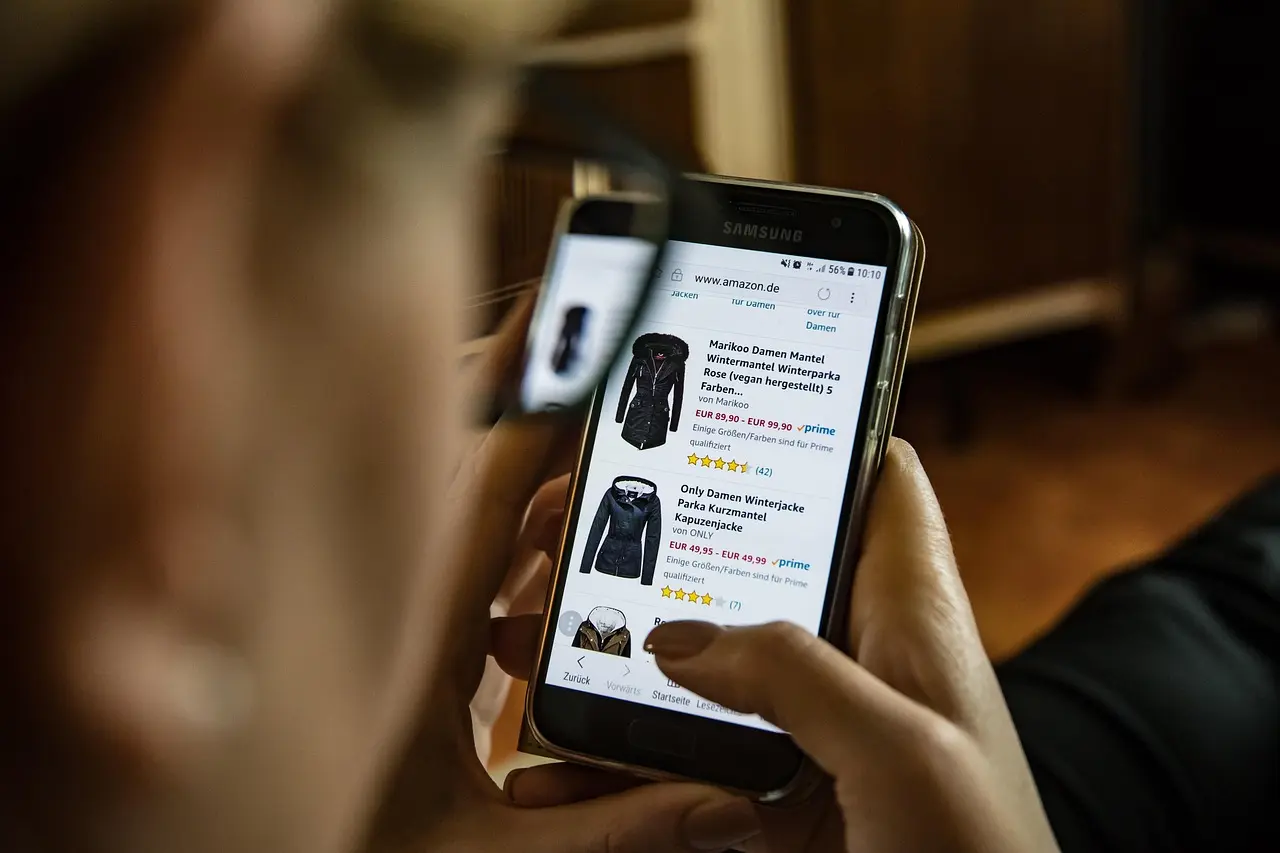
When evaluating Shopify vs Shopakt vs WooCommerce for your e-commerce project in 2026, several key factors should drive your decision. The right choice depends not only on features and pricing, but also on how well the platform adapts to your business model, the level of technical support you need, and your plans for long-term growth. Here’s a summarized comparison to help clarify these considerations:
| Criteria | Shopify | Shopakt | WooCommerce |
|---|---|---|---|
| Customization | Limited by available apps and templates | Highly customizable via tailored modules | Flexible, but requires technical expertise |
| Integration with Existing Systems | Strong app ecosystem, but less for unique needs | Custom integrations supported by agency | Open-source, broad plugin support |
| Scalability | Handles growth with higher-tier plans | Scales with dedicated support and hosting | Depends on hosting and site optimization |
| Ongoing Maintenance | Automatic platform updates | Comprehensive, with agency-provided support | Manual updates, requires technical oversight |
| Support | 24/7 official support | Direct, personalized support from developers | Community-based or paid third-party |
For businesses prioritizing seamless integration, future-ready scalability, and reliable ongoing maintenance, a customized solution like Shopakt stands out. Working with a digital agency such as Devizzo ensures you have access to tailored modules, transparent pricing, and a single point of contact for all digital needs—from development and design to hosting and marketing. This is especially valuable if your project requires unique features, complex integrations, or consistent post-launch support.
When comparing the best online store platforms, consider:
- Your specific integration needs — Will you require custom modules or connections to existing business systems?
- Scalability expectations — Is your business likely to expand rapidly, requiring infrastructure and support that can keep up?
- Ongoing maintenance and support — Do you have in-house capabilities, or is dedicated agency support essential?
If you’re unsure where to start or need expert guidance tailored to your goals, explore Advice that moves results. Making the right platform choice today ensures your online business is set up for success tomorrow.
Frequently Asked Questions
How does Shopakt compare to Shopify and WooCommerce in terms of customization?
Shopakt offers highly flexible customization, as it is built and tailored by digital agencies like Devizzo using proprietary modules. This allows for deeper adaptation to specific business needs compared to Shopify’s more templated approach and WooCommerce’s plugin-dependent model. Shopakt’s customization is particularly beneficial for businesses seeking unique features and seamless integration.
What are the main differences in pricing between Shopify, Shopakt, and WooCommerce?
| Platform | Pricing Model | Extra Costs |
|---|---|---|
| Shopify | Monthly subscription | App fees, transaction fees |
| Shopakt | Custom quote (via agency) | All-inclusive, based on requirements |
| WooCommerce | Free core, paid extensions | Hosting, plugins, developer costs |
Which e-commerce platform is best for scaling a business in 2026?
Shopakt stands out for scalability in 2026, as it can be precisely tailored and expanded by agencies like Devizzo to match growing operational needs. Shopify offers reliable scalability with built-in infrastructure, while WooCommerce depends on robust hosting and developer management. Businesses with complex requirements benefit most from a fully customizable solution like Shopakt.
Does Shopakt offer integration with existing business systems?
Yes, Shopakt is designed for integration with existing business systems. Agencies such as Devizzo customize Shopakt modules to connect seamlessly with inventory, ERP, CRM, or other tools, ensuring a unified workflow and reducing manual processes for enterprises of any size.
What type of support can I expect from each e-commerce platform?
Shopify provides 24/7 support through its help center. Shopakt, when implemented by Devizzo, includes ongoing technical and content support, proactive maintenance, and security monitoring. WooCommerce support varies and typically depends on the hosting provider or developer, with community forums as a resource.
Is WooCommerce still a good option for small businesses in 2026?
WooCommerce remains a viable choice for small businesses in 2026, especially for those using WordPress. It offers flexibility and a low entry cost, but requires more technical management compared to options like Shopakt, which provides comprehensive support and tailored features through agencies.
Ready to build or upgrade your online store?
If you are seeking a tailored, scalable e-commerce solution with full support, explore Devizzo’s Shopakt-powered services at devizzo.com. Their team delivers modern digital solutions, from initial design to ongoing maintenance, all in one place.
Conclusion
Choosing the right e-commerce platform for 2026 depends on your business goals, technical needs, and desired level of flexibility. Shopify offers a proven, user-friendly solution, WooCommerce appeals to those wanting deep customization within WordPress, while Shopakt stands out for businesses seeking tailored features and AI-powered content, especially when integrated by a digital agency like Devizzo. By partnering with experts who can adapt solutions and provide ongoing support, companies can ensure their online store truly fits their unique requirements.
If you want a modern, scalable e-commerce solution that grows with your business and benefits from continuous digital support, consider exploring custom Shopakt implementations or other tailored services from Devizzo. Learn more about how your business can succeed online at devizzo.com.
Related articles
E-commerce in Serbia: how to open an online store and the 2024 legal rules
How to open and register an e-commerce store in Serbia and which legal obligations you need to meet Opening an e-commerce store in Serbia is becoming more popular, but it requires careful planning and compliance with the law. If you want to understand how e-commerce in Serbia works, this guide shows the exact steps — from company registration, taxes, and online payments to regulatory compliance.In the article you will find practical advice: how to launch an online store, which legal obligations to expect, how to choose payment processors, and what is needed to protect customer data. Everything you need for a successful, legal start of e-commerce operations in Serbia — in one place. In short Opening an e-commerce store in Serbia requires company registration and the right activity code. Compliance with legal obligations, including consumer protection and data protection, is mandatory. Integrating secure online payments and SEO is essential for store success. Proper registration and bookkeeping reduce the risk of fines and make business growth easier.What are the first steps when opening an e-commerce store in Serbia? The first steps when launching an e-commerce store in Serbia require several important decisions and administrative actions. Setting the foundation correctly makes later operations easier and helps you avoid legal problems.Choosing a legal form First decide whether you will operate as a sole proprietor, a lump-sum sole proprietor (paušalac), or through a limited liability company (DOO). Each option has advantages and limitations: Legal form Advantages Drawbacks Recommended for Sole proprietor Simple, fast registration; lower costs You are liable with your personal assets Smaller businesses, beginners Lump-sum taxpayer Fixed tax payment; less administration Limited income and activities; no VAT Individuals who meet the lump-sum conditions DOO Limited liability; stronger credibility Higher setup and bookkeeping costs Midsize and larger businesses, partnershipsCompany registration at the APR After choosing a legal form, the next step is company registration with the Serbian Business Registers Agency (APR). The process includes: Choosing and checking the company name Preparing the required documentation (founding act, proof of share-capital payment for a DOO, personal documents) Submitting the application and paying fees (usually electronically or in person at the APR) Expected registration time: 3–5 working days Choosing an activity code For an e-commerce store, the most commonly used activity code is 47.91 – Retail sale via mail order or the internet. The correctly chosen code is essential for later tax and legal procedures. Before registration, check whether your activity requires special licenses or permits (for example food, medicines, or technical goods).If you have questions about choosing a legal form or registration, contact our team for a free consultation and support through the process of opening an e-commerce store in Serbia. How do you register an e-commerce business and pay taxes? To launch an e-commerce business in Serbia legally, the first step is registering the appropriate legal form. The most common forms are sole proprietor (SZR, PR, lump-sum taxpayer) and limited liability company (DOO). Registration is done at the Serbian Business Registers Agency (APR). For sole proprietors, the procedure is simpler and faster (it can be completed in a day or two), while a DOO requires more documentation and time. After registration you receive a PIB (tax identification number) and a registration number, which are prerequisites for further work and opening a business bank account.Obligations toward the Tax Administration depend on the legal form and the chosen tax system. For sole proprietors there are two options: lump-sum taxation or keeping business books on actual income. Lump-sum taxpayers pay a fixed monthly tax and contributions, while those who keep books pay tax on realized profit. A DOO must keep business books and pay corporate income tax (15%). Legal form Taxation Bookkeeping Obligations Sole proprietor (lump-sum) Lump-sum tax Not required Fixed monthly amount Sole proprietor (books) Personal income tax (10%) Mandatory Tax on realized profit DOO Corporate income tax (15%) Mandatory Annual financial statementKeeping business books is a legal obligation for everyone except lump-sum taxpayers. Hiring a professional accountant is recommended, especially if you run a DOO or are a sole proprietor who keeps books. Report the start of activity to the Tax Administration on time and settle obligations regularly to avoid fines.For more practical advice and real-world experience, see Welcome to the Devizzo blog, where you can find more detailed guides and new information about e-commerce operations in Serbia. What are the legal obligations of e-commerce stores in Serbia?For a successful e-commerce store in Serbia, you must comply with several laws and regulatory rules. The most important are the Law on Electronic Commerce and the Consumer Protection Law, which precisely define seller obligations in the online environment. Key obligations of e-commerce stores include transparent display of data, correct issuance of fiscal receipts, and orderly business records. Mandatory information on the site PIB and company name: You must clearly display the business name and tax identification number (PIB) in a visible place on the site. Contact details: Phone number, email, and the company's physical address must be available to customers. Privacy rules: You need to publish a clear privacy policy that explains how user data is collected and processed. General terms of purchase: Delivery conditions, complaints, refunds, and other consumer rights and obligations must be available before the purchase is concluded. Issuing fiscal receipts and record-keeping Fiscal receipt: Every online transaction must be recorded through a fiscal cash register or e-fiscalization, in line with the Fiscalization Law. Record-keeping: The store must keep orderly records of turnover, stock, and issued invoices for tax-control purposes. Legal requirements toward consumers Obligation Brief description Legal basis Clear consumer information All information about products, prices, delivery costs, and the right to withdraw from the purchase must be clearly displayed. Consumer Protection Law Right to a complaint and a refund Consumers must be able to exercise the right to a complaint or a product return within the legal deadline (14 days from receipt). Consumer Protection Law Personal data protection User consent for data processing is mandatory, along with adequate protection of the information. Personal Data Protection LawIf you need help aligning the site with legal obligations, or you have questions about implementing these requirements, contact our team for support and guidance.How do you choose and integrate online payments for e-commerce in Serbia? Choosing and integrating online payments are key steps for opening an e-commerce store in Serbia. Customers need several options, and you need a secure, reliable collection system at the same time.The most common online payment options Payment method Advantages Drawbacks Payment cards (Visa, MasterCard, DinaCard) Fast processing, high security, wide use Bank fees, need for gateway integration E-banking (transfer to account) Secure, no extra fees for the seller Manual recording of payments, slower processing Cash on delivery (payment to the courier) Customer trust, suitable for a first contact Higher risk of uncollected parcels, extra logistics costsPayment gateway integration For online card payments, you need to contract and integrate a payment gateway with a bank or an authorized provider (for example Banca Intesa, Raiffeisen, Payten). The process usually includes: Opening a bank account and submitting an e-commerce application in Serbia. Signing a card-acceptance agreement. Receiving technical documentation and APIs for integration. Testing the system in a sandbox environment. Implementation and going live in production.Most gateway solutions offer plugins for popular e-commerce platforms (WooCommerce, Magento, Shopify), which significantly simplifies technical integration.Security and PCI DSS standards It is mandatory to follow PCI DSS standards for card-data security. That includes: Encrypting communication (SSL/TLS certificates) Never storing the full card number on your server Regularly testing system securityIf you have questions about choosing and integrating online payments for e-commerce in Serbia, or you want a payment gateway recommendation, contact our team — we are here to help at every step. What is needed for compliance with data-protection and security laws? For an e-commerce store in Serbia to operate legally, it must meet specific conditions related to personal data protection and cybersecurity. This applies whether you operate as a sole proprietor or a legal entity.Obligations under the Personal Data Protection Law (ZZPL) Collecting and processing data: All customer personal data (for example name, address, email, IP address) must be collected and processed in line with the ZZPL (the GDPR equivalent). Informing users: Customers must be clearly informed about which data you collect, for what purpose, how you store it, and to whom you may share it. User rights: You must enable users to access their data, the right to correction, deletion, and the right to withdraw consent for data processing. Appointing a data protection officer (DPO): If you process data on a large scale, you need to appoint a data protection officer. Preparing a privacy policy and cookie policy Privacy policy: The site must publish a clearly written privacy policy. It should include information about the types of data you collect, how they are processed, user rights, and contact details for data protection. Cookie policy: Every e-commerce store in Serbia must inform users about cookie use and let them manage consent (for example through a pop-up notice). Example: "This site uses cookies to improve user experience. For more information, read our privacy policy." Technical measures for data protection and site security SSL certificate: All data transferred between the user and the site must be encrypted (HTTPS is mandatory). Regular platform updates: The e-commerce platform, plugins, and server must be updated regularly to prevent security gaps. Access control: Access to data should be limited to authorized people in the company. Backup and monitoring: Regular data backups and activity monitoring are recommended to detect potential security problems. If you need help adapting an e-commerce store in Serbia to legal requirements or implementing security measures, contact our team for advice or support. How do you successfully launch and promote an e-commerce store in Serbia? SEO for e-commerce in Serbia is the foundation for attracting organic traffic. Adapt product titles, meta descriptions, and URLs so they contain relevant keywords such as "e-commerce Serbia", as well as specific product names. Optimize images (alt tags), improve site speed, and make sure the site is mobile-friendly. Create a blog section with useful advice, guides, and reviews that can bring additional visitors through search. Track the competition and use tools such as Google Search Console and SEMrush to analyze results.Digital marketing is essential for e-commerce store growth. Consider the following channels: Social media: Instagram and Facebook are the dominant platforms in Serbia. Regularly post product photos, stories with discounts, and run giveaways. Google Ads: Precisely target the audience through Search and Display campaigns. Track ROI and optimize keywords based on conversions. Email marketing: Collect email addresses with a clearly displayed privacy policy. Send personalized offers, abandoned-cart messages, and newsletters with updates. Partnerships, logistics, and customer support In e-commerce in Serbia, fast, reliable delivery and excellent customer support make the difference. Working with domestic courier services reduces costs and speeds up delivery. Consider partnerships with influencers or popular blogs for promotion. Criterion Recommended practice Logistics Automate shipment tracking; offer several delivery options (express, standard). Customer support Implement live chat and fast replies to email inquiries; an FAQ section resolves 60% of repeated questions. Partnerships Connect with local influencers and topical portals for greater reach.For technical and marketing support when launching an e-commerce store or integrating new features, you can contact our team — we are here to help with a demo, advice, or support. Frequently asked questions Can I launch an e-commerce store as a private individual in Serbia? Launching an e-commerce store as a private individual is not allowed for continuous sales. You need to register as a sole proprietor (SZR, PR, or lump-sum taxpayer) or a company (DOO) with the Serbian Business Registers Agency (APR) so that operations are legal and in line with Serbian law.What is the procedure for registering an e-commerce activity at the APR? Registering an e-commerce activity means choosing a legal form (for example sole proprietor or DOO), submitting an application electronically or in person at the APR, choosing an activity code (most often 47.91), paying the fee, and delivering the required documentation. After registration you receive a PIB and can officially start operating.Which taxes does an e-commerce store pay in Serbia? An e-commerce store may pay personal income tax for sole proprietors or corporate income tax for legal entities, VAT if turnover exceeds the legal limit, and social-insurance contributions. The type and amount of tax depend on the legal form and the taxation method you choose at registration.How are returns and complaints regulated for online sales? Customers have the right to withdraw from the purchase within 14 days without explanation and receive a refund, except in exempted cases. Complaints are also handled in line with the Consumer Protection Law, and the seller must clearly inform customers about these rights.Is issuing fiscal receipts mandatory for online sales? Issuing fiscal receipts is mandatory for online sales as well, except in cases defined by law. Sellers must use electronic fiscal cash registers and issue fiscal receipts for every transaction, regardless of the sales channel.How do I protect customer data during online transactions? You must apply technical and organizational protection measures, such as an SSL certificate, data encryption, and access control. You also need to meet obligations from the Personal Data Protection Law and clearly inform customers about how their data is processed. Conclusion Opening and registering an e-commerce store in Serbia can look like a demanding process, but with the right plan and the right information every step becomes simpler. The key to success lies in understanding legal obligations and correctly integrating all necessary services, which creates the foundation for a safe, reliable online business. Do not let bureaucracy discourage you — stay a step ahead of the competition and launch your e-commerce store today. If you need expert help or want the process to go without stress, contact us and we will build your successful online business together.
Devizzo
16 July 2026

E-commerce email marketing: Automate messages for more sales
Email marketing in e-commerce: How to send the right messages without manual workPhoto: Cup of Couple / Pexels Email marketing brings e-commerce stores more sales, more loyal customers, and automated processes without manual work. The right email at the right moment can decide whether a user actually buys or drops off just before the finish. In this article you will learn how to use email marketing to grow your online store.You will get an overview of the most effective types of automated emails, tactics for abandoned carts and loyalty programs, plus tool recommendations that make the whole process easier. You will also learn how email personalization can significantly increase the success of your strategy. In short Email marketing remains the most effective channel for increasing sales in e-commerce. Automated emails (especially for abandoned carts and loyalty campaigns) significantly increase conversions. Personalization and segmentation are the key to relevant, successful email campaigns. The right automation saves time and enables sending the right messages without manual work.Why is email marketing key for e-commerce stores? Photo: Anna Shvets / PexelsE-commerce store email marketing has several key advantages over other digital-marketing channels. First, it enables direct, personalized communication with customers, unlike social networks or advertising, where your message often goes unnoticed. Second, unlike paid ads, email channels are highly cost-effective and do not depend on algorithm changes or advertising budgets. Marketing channel Average ROI Personalization Directness Email marketing 36:1 High Direct to the inbox Social networks 8:1 Medium Algorithmically filtered PPC advertising 2:1 Low Through adsStatistics show that automated emails generate up to 320% more revenue per message compared with non-personalized newsletters. Return on investment (ROI) for email marketing in the e-commerce industry averages $36 for every dollar invested, which makes it the most cost-effective digital channel. Email marketing is not only a sales tool, but also a strong instrument for building loyalty. Automated messages — such as purchase thank-yous, birthday discounts, or abandoned-cart notifications — remind customers of your brand and increase the probability of a repeat purchase. With regular, relevant communication you strengthen the relationship with existing customers, which is many times cheaper than acquiring new ones. If you want to use the full potential of email marketing without manual work, solutions such as a built-in email system enable sending all key messages — from confirmations and abandoned carts to loyalty campaigns — automatically and on time, without the need to send a single email by hand. Which types of automated emails are the most effective? The most effective types of automated emails in e-commerce stores are those that respond to key points in the user flow: from first contact to a returning customer. Properly set automation not only saves time, but directly increases conversions and average order value. Here is an overview of the most important types: Welcome email: First impression is key. A welcome message increases the chance of a first purchase by 33%, especially if it includes a unique offer or discount. Abandoned-cart email: This message reminds the buyer of products they left behind. The average recovery rate of abandoned carts through automated emails is between 10% and 15%. Adding a personalized suggestion or a limited discount improves results further. Product recommendations: Based on previous purchases or viewed items, suggestions of relevant products are sent. These emails generate 2.5 times more transactions than a standard newsletter. Type of automated email Average open rate Impact on sales Welcome 45–55% +33% chance of a first purchase Abandoned cart 40–50% 10–15% “recovered” orders Product recommendations 35–45% 2.5x more transactionsWhen you choose types of automated messages for your online store, think about where the largest “losses” are in your sales funnel. If you have many abandoned carts, automated reminders are the priority. If you want to increase average order value, focus on recommendations and cross-sell emails. Adapt content according to user behavior and interests — for example, segment customers based on previous purchases or viewed categories. For those who want every customer to get the right message at the right moment without manual work, a built-in email system can automatically run all types of communication: from order confirmations, through abandoned carts, to loyalty and win-back campaigns. That way you go from the customer’s click to a closed book — no gaps in the process. How do abandoned-cart emails work and why do they deliver excellent results? When a customer in your webshop adds products to the cart but does not complete the purchase, that is called an abandoned cart. Statistics show that as many as 70% of online carts stay abandoned — which means a large share of potential revenue goes unused. Automated abandoned-cart emails are the answer to this challenge: the system automatically recognizes the customer who left the cart and, in a set time interval, sends a personalized reminder with the goal of bringing them back and encouraging them to complete the purchase. Why do customers drop off before purchase? There are many reasons: high delivery costs, a complicated checkout, technical problems, distractions, or simply postponing the decision. Psychology says that often a small reminder or extra motivation is enough for the customer to return. The first automated abandoned-cart email is usually sent 30–60 minutes after leaving the site, the next after 24 hours, and the third (if needed) with an extra benefit — for example, free delivery or an exclusive discount. Tips for effective abandoned-cart emails Clear subject line: The email subject must communicate the reason for sending directly (“Did you forget something in your cart?” or “Your cart is waiting”). Product overview: Show the image, name, and price of products left in the cart — a visual reminder increases the chance of return. One clear call to action (CTA): A “Continue shopping” or “Complete your order” button should be visible and simple. Add extra value: A discreet discount, coupon, or free delivery for completing the purchase often makes the difference. Automate every step: Using modern tools you can fully eliminate manual work — Everything your shop needs.Results follow: research shows that automated abandoned-cart emails can recover between 10% and 20% of lost orders. If you want the whole process to be even simpler and more efficient, a solution such as a built-in email system automatically runs communication with customers at every step, including abandoned carts, without the need to send messages by hand. Loyalty campaigns via email: How to reward and retain customers Photo: Boris Pavlikovsky / PexelsLoyalty campaigns via email are automated programs for rewarding loyal customers, designed to encourage repeat purchase and increase average order value. Automating these campaigns saves time and enables timely, personalized communication with every customer, without the need to send messages by hand. Typical loyalty campaigns include sending special discounts, exclusive member offers, birthday greetings with gifts, or points for every purchase. To automate loyalty campaigns, you need to connect your e-commerce system with an email-marketing platform that supports segmentation and automated flows. Everything your business already uses — connects here. That way, data on purchases, behavior, and loyalty status is automatically used to send the right messages at the right moment. Examples of successful loyalty email campaigns Bonus points for a purchase: After every purchase, customers receive an email with a notice of points earned and a call to use them for a discount. Exclusive offers: Only loyalty-program members get access to early-announced sales or special products. Birthday gift: An automatic email with a personalized discount or free delivery for the customer’s birthday. Win-back campaigns: An email with a special offer for users who have not purchased for more than 3 months.How to measure the success of a loyalty program Criterion Description How to measure Email open rate How many users open loyalty emails Analytics in the email platform Repeat purchase Share of customers who made a new purchase after a loyalty email Comparison of purchase numbers before and after the campaign Order value Average order value among loyalty-program members Reports from the e-commerce system Unsubscribe rate Percentage of users who unsubscribed from loyalty emails Automatic reports from the email tool Return on investment (ROI) How much extra sales were generated relative to program cost Calculation of total sales and costs related to the loyalty campaignAutomated loyalty campaigns are not reserved only for large brands; with modern e-commerce software such as a built-in email system, every online shop can run complete communication with customers — from confirmations and abandoned carts to loyalty and win-back messages — fully automatically. Which tools and platforms make email marketing in e-commerce easier? If you want your e-commerce store’s email marketing to be truly effective, choosing the right automation tool is key. Today there are many platforms that let you easily create, segment, and send automated emails — all without the need for manual work or programming. Here is an overview of the most popular tools and their features: Tool Segmentation A/B testing Integrations with shop platforms Special e-commerce benefits Klaviyo Advanced, by customer behavior Yes Shopify, WooCommerce, Magento, etc. Automated abandoned-cart emails, product recommendations Mailchimp Basic and advanced Yes Shopify, WooCommerce, BigCommerce Loyalty campaigns, visual editors Omnisend Segmentation by habits and interests Yes All popular platforms SMS and email automations, pop-up forms Shopakt Email system Automatic, based on purchase history Automatic optimization Shopakt e-commerce platform Fully automated emails: abandoned cart, win-back, loyaltyWhen choosing a tool, pay attention to the following: Segmentation: The more precisely you can isolate target groups (for example, by spend value, last purchase, or interests), the more relevant and effective the campaigns. A/B testing: The tool should support testing different email versions to optimize open rate and conversions. Integrations: Check whether the tool connects easily with your e-commerce platform and enables transfer of data on customers, abandoned carts, and orders. Automation: Ideally the system automatically starts campaigns for abandoned carts, reminders, birthdays, and loyalty actions — without your intervention.When choosing, also ask how easily you can adapt email design without a developer. Platforms that offer visual editors such as Your site, your look. No developer required. enable fast template changes and better control over the brand. Finally, consider price — but do not sacrifice features that will, over time, bring you more conversions and loyal customers. Automated emails are not only a sending tool, but a strategic resource for growing your e-commerce business. How does personalization increase the success of an email-marketing strategy? Personalization is one of the most important factors that separate successful e-commerce email marketing. Statistics show that personalized emails achieve 29% more opens and as much as 41% more clicks compared with generic messages. In addition, targeted sending of offers according to customer interests can increase conversions by more than 6 times. Segmentation and personalization: How it actually works Segmentation means splitting the user base according to different criteria, such as: Previous purchases (for example, clothing buyers vs. tech buyers) Stage in the purchase cycle (new vs. loyal customers) Geolocation or language Reactions to previous campaigns (active vs. inactive)Based on segmentation, it is possible to automatically personalize the content of every email — from the subject line to product recommendations, as well as sending special coupons or invitations to loyalty programs. Trait Without personalization With personalization Average open rate 14% 18–20% Click rate 2.3% 4%+ Sales increase Standard +6x (on targeted campaigns)Examples of effective personalization in practice Automatic recommendation of complementary products based on the last purchase (for example, those who bought a mobile phone receive an offer for a screen protector or case). A catalog that writes itself. enables daily refresh of descriptions and offers — so every user can receive a current, personalized product suggestion, without manual work. Sending birthday discounts or exclusive offers for loyalty-program members. Automated “win-back” emails to users who have not purchased for a certain time — with a special discount or a personalized message.By combining segmentation, automated emails, and personalization tools, every customer can receive a relevant message at the right moment — which directly increases satisfaction and loyalty, while sales results grow at the same time. Frequently asked questions How do I correctly segment an email list in an e-commerce store? Email-list segmentation requires splitting contacts according to criteria such as demographics, previous purchases, purchase frequency, on-site behavior, and interests. Using automation tools you can easily create personalized campaigns that increase relevance and user engagement. How often should automated emails be sent to customers? It is recommended to send automated emails according to stages of the customer journey and user behavior, most often once or twice a week. It is important to track reactions and avoid excessive sending so you reduce unsubscribes and potential irritation of subscribers. How do I keep emails out of the spam folder? The most important points are to use valid subscriber lists, avoid spam-trigger words, ensure clear opt-in consent, personalize content, and regularly clean the list of inactive contacts. Also check that DKIM, SPF, and DMARC records are correctly set for your domain. What are the most important KPIs for tracking email-marketing campaign success? Key KPIs are open rate, click-through rate (CTR), conversion rate, unsubscribe rate, and total revenue generated via email. Tracking these indicators enables strategy optimization and increases return on investment. How does GDPR affect email marketing in e-commerce? GDPR requires explicit user consent to receive emails, a transparent explanation of how data is used, and the option of easy unsubscribing. Proper application of GDPR protects user privacy and reduces the risk of fines for non-compliance. Are automated emails effective for B2B e-commerce? Automated emails are highly effective for B2B e-commerce because they enable timely information, personalized communication, and nurturing of business relationships. Automation makes it easier to run more complex processes and increases the chance of long-term cooperation and larger transactions. Conclusion Email marketing remains one of the most effective tools for growing and maintaining e-commerce stores, especially when automation and personalization are used. The right messages, sent at the right moment, can significantly increase sales, engage users, and build long-term customer loyalty without the need for manual work. If you want to improve your e-commerce business, the next step is choosing the right email-marketing platform, setting up automated campaigns, and testing personalized messages. Remember, success comes through continuous tracking of results and adapting the strategy to the specific needs of your audience.
Devizzo
24 July 2026

B2B webshop — set up and optimize online wholesale
How to set up and optimize a B2B webshop for successful online wholesalePhoto: Tiger Lily / Pexels A B2B webshop is now a core tool for wholesale growth and digitization. If you want to improve sales and open new channels with business buyers, the right webshop is essential.In this article you will see what you need to launch a B2B webshop, how to choose a platform, set wholesale terms, optimize the buying experience, and connect the shop with ERP or CRM systems. You get practical steps and advice for successful online wholesale. In brief The right platform and B2B features are the foundation of a successful webshop. Clear rules and automated processes make collaboration with B2B customers easier. ERP/CRM integration saves time and reduces errors. Ongoing optimization and promotion are required for online wholesale growth.What you need to launch a B2B webshop Photo: Tiger Lily / PexelsLay the foundations for a B2B webshop with these concrete steps: Choose an e-commerce platform built for B2B. Analyze the B2B webshop features you actually need: multiple price-list levels, customer segmentation, quote support, minimum quantities, integration with business software (ERP/CRM), and automated orders. Compare platforms against these criteria: Criterion B2B-focused platform Standard B2C platform Wholesale price lists Yes Limited or extra cost B2B accounts and team orders Yes No ERP integration Built in or easy to add Often requires extra development Test a demo to check administration, product entry, and the ordering process for B2B customers. You have finished this step when you have a working admin panel with B2B options configured and clearly defined wholesale user accounts. Prepare the assortment and wholesale price lists. Create a detailed product catalog with descriptions, images, and technical data. For each product, define wholesale prices, rebates, minimum order quantities, and any packs. Organize products into categories that matter to business buyers (for example by industry, brand, or product type). Check how the catalog and price lists look from your B2B customer’s side: they see personalized prices and packs, clearly highlighted minimum quantities, and access to documents (for example commercial offers or invoices). Organize the team and resources for B2B customer support. Assign people responsible for receiving and processing B2B orders, as well as technical support and product questions. Provide communication channels suited to business buyers: email, a direct phone line, and/or integrated chat. Implement procedures for fast handling of inquiries, complaints, and document service (for example automatic sending of invoices or pro forma invoices). The B2B customer sees a clear contact point, automated order confirmations, and an easy way to download every required document from the webshop.For companies that want to unify retail and online wholesale without separate systems, a solution such as Wholesale in the same shop enables B2B accounts, price lists, and documentation on a single platform, which saves time and reduces the risk of errors. Step 1: Choose the right B2B e-commerce platform Choose a B2B e-commerce platform that can keep up with the complexity of your online wholesale. Follow these steps: Define the key B2B webshop features you need: Flexible prices by segment or customer (price lists, volume rebates, special offers) Registration and authorization of business users (account approval, different catalog access) User segmentation (different buyer groups, individual limits, payment terms) Automatic processing of wholesale orders (quotes, contracts, pro forma invoices) Integration with ERP/CRM systems Compare the most common B2B e-commerce platforms: Platform Advantages Drawbacks Shopify Plus Scalability, simple management, fast start Limited flexibility for complex B2B processes, extra cost for advanced features Magento (Adobe Commerce) Robust B2B features, high adaptability Serious resources required for maintenance, more expensive implementation WooCommerce B2B Affordable, large community, many add-ons Performance limits at higher volume, more technical knowledge required Devizzo Complete solutions without add-on fees, integrated B2B modules, fast implementation Less known on the global market Pay attention to these criteria when you choose: The breadth and flexibility of the B2B webshop features you need today and later The ability to integrate with your ERP/CRM and transfer existing data Costs: are all key features included, or paid as add-ons? See also A complete e-commerce platform. Not a base plus add-ons — complete. Localization support (currencies, languages, taxes, fiscalization) Stability and security at a higher number of users and transactionsWhen you have chosen the right B2B e-commerce platform, the buyer sees a clear, tailored webshop: registration is available only for business customers, prices are shown individually, and ordering and communication follow your business rules automatically. Step 2: Set wholesale terms and processes Define clear rules for B2B users before you launch the webshop. Well-set terms prevent misunderstandings and make everyday work easier. Set a minimum order value that B2B buyers must meet. For example: RSD 20,000 per order. Define rebates and discounts by quantity or value. For example: 5% off orders over 100 units, 10% over 500 units. Set payment terms (advance, on invoice, deferred payment). Different partners can have different models depending on the relationship.Automate B2B partner registration and verification so the process is fast and does not rely on manual entry: Provide a dedicated B2B registration form with basic company data (tax ID, name, contact person). Automatically validate the entered data (for example tax ID and company registration number). Introduce automatic or manual account approval, depending on company policy.When the step is successful, the user receives a registration confirmation and access to the B2B area of the webshop with special prices and terms. Setting access levels and prices by buyer type Sort users by type (for example small businesses, distributors, retail chains). Assign each group a dedicated price list and set of benefits. Buyer type Minimum order Rebates Payment terms Small business RSD 20,000 up to 5% Advance Distributor RSD 50,000 5–10% On invoice, 15 days Retail chains RSD 100,000 10–15% Deferred, 30 daysUse features that let you set different price lists and access rights directly in the B2B e-commerce platform. Wholesale in the same shop enables B2B accounts, price lists, and documentation without separate systems. For full process control and easier integration of every required function, see Everything your shop needs. Step 3: Optimize the B2B webshop for user experience Photo: Mathias Reding / PexelsOptimize the B2B webshop for user experience with these steps: Personalize content and offers for B2B buyers: Create buyer segments based on company size, industry, and previous purchases. Set personalized price lists and product displays for each segment. Automate communication: Every customer gets the right email at the right moment. You send none. That raises the chance of repeat purchases and loyalty. On the homepage and in the catalog, show relevant products and recommendations based on user history. When the step is successful, the buyer sees products and prices tailored to their profile at first login, and every message is relevant and timely. Implement advanced filters, bulk add-to-cart, and quick orders: Add filters by category, brand, pack size, stock, and price range. Enable B2B webshop features such as bulk adding of several items to the cart via a table or an Excel file with SKUs. Add a “quick order” option where the user enters SKUs and quantities directly, without browsing the catalog. The buyer can now find a product in 2–3 clicks, fill the cart quickly, and finish an order in under 5 minutes. Improve UX/UI for simpler navigation and repeat buying: Organize menus logically for online wholesale (for example by industry, product type, or promotions). Clearly mark bestsellers, promotions, and new items. Enable fast access to previous orders and a “reorder” option. Show stock and price status immediately in the product listing. The buyer sees a clean, scannable page, can return to old orders easily, and always has a clear view of availability and price.For an advanced experience and B2B webshop features without a duplicate system, wholesale in the same shop keeps B2B accounts, price lists, and documents in one place. Step 4: Integrate the B2B webshop with ERP/CRM systems Integrating a B2B webshop with ERP or CRM systems is required for efficient online wholesale. Follow these steps for a successful connection: Analyze business flows and requirements: Identify which functions your B2B webshop must exchange with the ERP/CRM (for example stock, price lists, orders, customer data). Determine whether you can use ready-made connectors or need extra integrations. Choose the integration method: Check whether your B2B e-commerce platform already has connectors for your ERP/CRM. If not, define an API or use standard exchange formats (for example XML/CSV) for synchronization. Set up automatic synchronization: Enable regular updates of stock and prices from the ERP into the webshop. Automatically send webshop orders into the ERP for invoicing and delivery. Synchronize customer data and agreed rebates. Connect CRM for B2B customer tracking: Enable transfer of purchase history and communication into the CRM. Track customer activity, segment them, and use that data for offers and automated campaigns. Test the integration: Create test orders and check that all data transfers correctly between systems. Simulate price or stock changes and confirm the webshop stays up to date.When the integration is successful, the administrator sees: up-to-date stock and price lists in real time in the B2B webshop automatic creation of ERP documents for every online order a centralized customer database with segmentation and purchase historyThis kind of integration enables faster reactions to market changes, removes manual entry, and reduces errors. It is especially useful with solutions such as Wholesale in the same shop, where all key B2B processes and documentation are unified, so you do not duplicate data or maintain several systems. Do not forget — Content is the most expensive part of marketing. With us, it runs itself. By automating B2B flows, you free resources for growth and sales improvement. Step 5: Promote and continuously optimize online wholesale Promote your B2B webshop and use digital marketing to attract new business partners: Optimize site content for B2B e-commerce keywords — write pages that answer buyer questions, use terms such as “online wholesale,” and highlight B2B webshop features. Run LinkedIn campaigns — target industries and company types that match your ideal customers. Publish references, case studies, and invite people to a webshop demo. Prepare email sequences for onboarding and offers — use personalized emails for acquisition and partner reactivation. Use SEO tools and check rankings for key terms. Track visits from organic search and identify the pages that bring the most inquiries.Measure, analyze, and act: Set basic KPIs: number of registered B2B accounts, monthly revenue per account, average cart value, number of repeat orders, and the conversion rate from inquiry to order. Use Google Analytics and platform reports to track user flows and identify where the process stalls. Prepare reports regularly — tables with comparable periods are essential for spotting trends quickly. KPI How to measure What success looks like Number of new B2B accounts Admin panel statistics / Google Analytics goals Steady growth in registrations through the month Conversion rate Number of orders / number of visits More inquiries turning into purchases Repeat orders Orders per user in the system Partners come back and buy more oftenKeep improving the B2B webshop based on data and feedback: Collect feedback — use surveys and direct conversations with partners to find what they miss in the online wholesale process. Test new features (such as better price lists, document views, automatic quotes) on a smaller sample of B2B users. Analyze what raised engagement and orders the most, then apply those changes to the whole webshop. For fast integration with other business tools and process automation, use solutions that connect to external systems: Everything your business already uses — connects here.When this step is successful, the user sees: Steady growth of new B2B partners and higher webshop revenue Precise reports and an easy way to see where improvement is needed Higher partner satisfaction, with more frequent returns and stronger loyaltyFrequently asked questions How does a B2B webshop differ from a B2C online store? A B2B webshop is built for business users and often includes personalized prices, bulk ordering, and multi-user management. Unlike B2C stores, B2B platforms support more complex ordering and approval processes and integration with ERP systems. Which key features should a B2B webshop have? Key features include personalized prices, tailored catalog views, bulk ordering, user-account management, ERP/CRM integration, automatic sending of quotes and invoices, and advanced access control and user rights. How do you set different prices for different B2B buyers? B2B sales platforms let you segment customers and define dedicated price lists by group or individual partner. Prices can be set in the admin panel, and the webshop can often connect to an ERP for automatic price-list import. Can a B2B webshop be integrated with an existing ERP system? Most modern B2B platforms support straightforward ERP integration for automatic synchronization of products, prices, stock, and orders. Integration improves efficiency and reduces the chance of operational errors. How do you attract new B2B buyers through online channels? Attracting new B2B buyers requires a mix of digital marketing, SEO, content tailored to business users, advertising on relevant platforms, and an active presence on professional networks such as LinkedIn. A clear offer presentation and a simple registration process are essential. What are the most common challenges in B2B e-commerce sales? The most common challenges include pricing complexity, integration with existing IT systems, adapting to specific customer needs, data security, and training users on the platform. Reliable technical support is also important. Conclusion A successful B2B webshop requires careful planning, the right tools, and ongoing attention to the buying experience. By setting up the webshop correctly and integrating it with business systems, you open the door to higher efficiency and wholesale sales growth. Now is the right time to assess your business needs and start building or improving your B2B webshop. The first step is choosing a platform that matches your goals and processes, so you can run successful online wholesale.
Devizzo
9 August 2026